


 [tta_listen_btn]

 September 4 2026

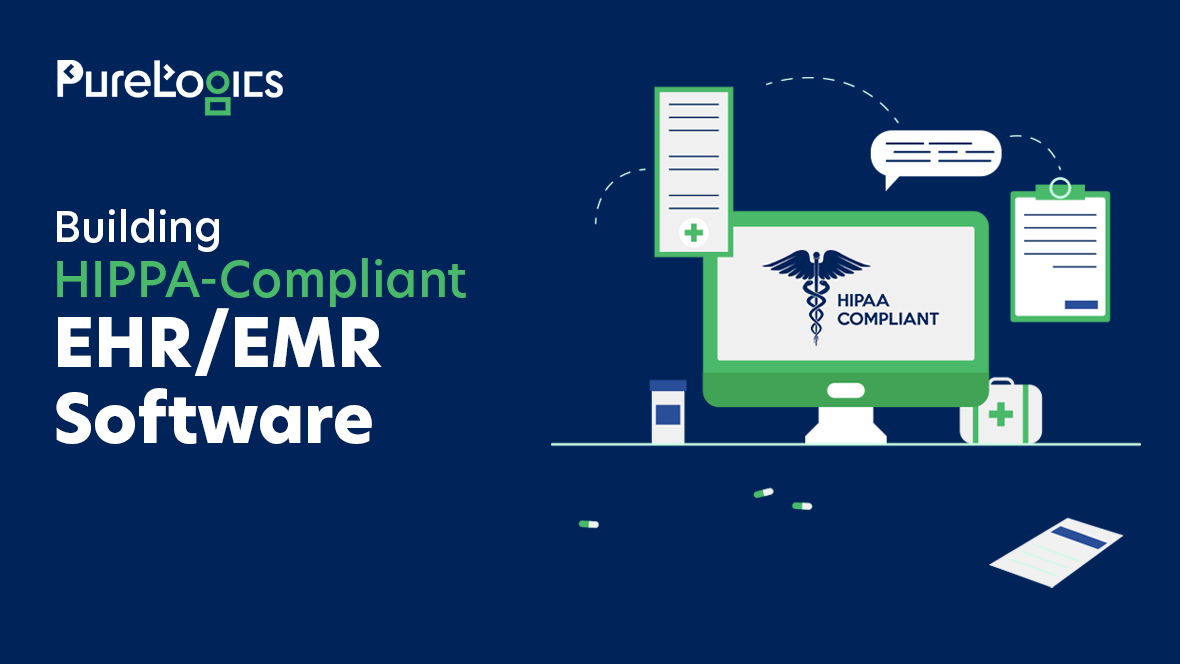
What does it take to make EHR/EMR software HIPAA compliant? In simple terms, it means your software protects patient data properly, using strong safeguards, limited access, secure connections, and signed agreements with every vendor who touches that data. If your software does all of this, you’re on the right path. If you’re not sure, this blog will help you check.
If you’re building EHR or EMR software, HIPAA compliance can’t be something you add later. It has to be part of the plan from day one. A missed step isn’t just a small bug to fix. It can turn into a fine, a breach notice sent to every patient affected, and a loss of trust that’s hard to win back.
In this blog, we’ll cover:
- What HIPAA actually asks for in EHR/EMR software
- Simple best practices that keep your system safe and compliant
- An easy checklist you can use to check your own software
- When custom EHR development makes more sense than an off-the-shelf tool
Let’s start by looking at why this topic matters so much right now.
Why HIPAA Compliance Is Not Optional for EHR/EMR Software
Healthcare software development has always come with rules to follow. But the pressure to get it right has grown a lot in the past few years.
The Real Cost of Getting It Wrong
According to the HIPAA Journal’s report on IBM’s 2026 data, healthcare breaches stay the most expensive of any industry. The Office for Civil Rights (OCR) closed 21 enforcement cases alone, its second-highest total ever. Most of these cases don’t start with some dramatic hack. They usually start with something small and boring: no risk analysis on file, weak access rules, or data that was never encrypted in the first place.
Rules Keep Getting Stricter
HHS keeps updating its guidance around the Security Rule. On top of that, new interoperability rules are pushing healthcare groups to share data through standard, API-based systems. This means EHR software development today has to connect with more outside systems than ever before. More connections mean more places where patient data could leak if it isn’t handled the right way.
Patient Trust Is What’s Really at Stake
Beyond fines, there’s a simpler reason to care about this. Patients share their most personal information because they trust it will stay safe. One data leak can undo years of that trust, both for the healthcare provider and for the software company behind the system.
Common Problems Teams are Facing
Most teams working on EMR software development whether they’re building it or buying it, hit the same few walls.
| Problem | What Happens | How to Fix it |
| High upfront cost | Building a compliant system takes more time and money | Work with a partner who builds it in phases |
| Old, outdated systems | Older EMRs often don’t have modern APIs or strong encryption | Build custom connectors to link old systems with new ones |
| Different data formats | Systems store and format data in various ways | Use HL7 and FHIR standards so data can move safely |
| Privacy and security risk | Every new connection is a possible weak point | Encrypt all data and use strict access rules |
| Staff pushback | Staff may resist learning a new system | Design the software around how staff already work |
What HIPAA Really Requires in EHR/EMR Software
Before we get into best practices, it helps to know exactly what you’re aiming for.
The Three Main HIPAA Rules
| Rule | What It Covers | Why It Matters for EHR/EMR Software |
| Privacy Rule | How patient health data can be used and shared | Controls who inside (and outside) your software can see what |
| Security Rule | The safeguards needed to protect electronic patient data | This is the rule developers deal with the most |
| Breach Notification Rule | What to do if data gets exposed, and who to tell | Shapes how you manage logging and incident response |
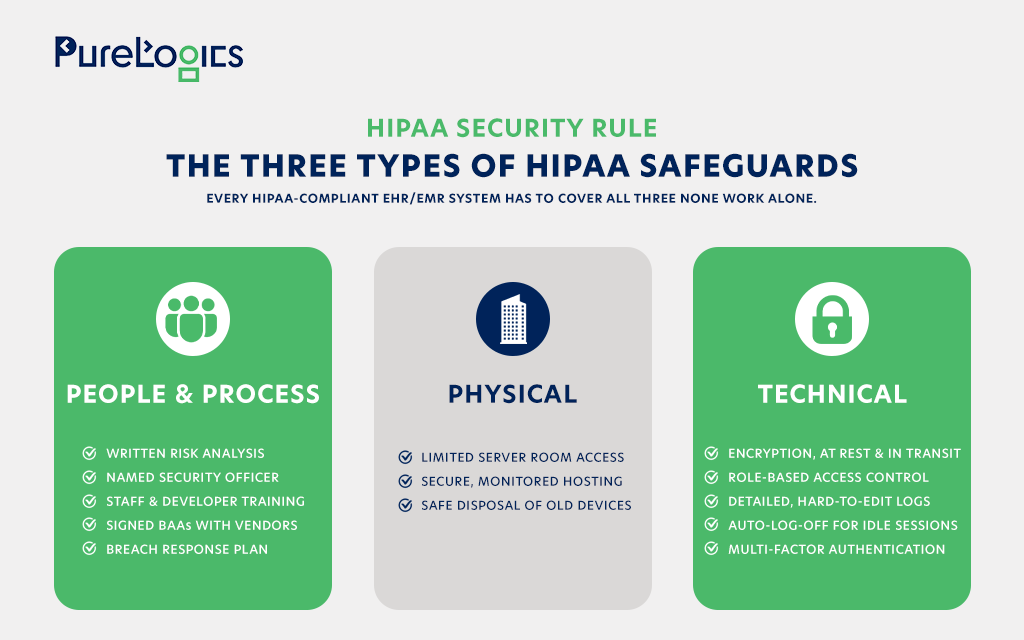
In simple terms, the security rule sets national rules to protect electronic patient health data, whether it’s created, received, used, or stored by a healthcare provider or the company that builds their software. It asks for safeguards in three areas: how you run your organization, how you protect physical spaces, and how you build the technology itself. That’s really the whole job when it comes to medical software development in this field.
Three Types of Safeguards
Not sure if your EHR/EMR system checks all three boxes?
Our healthcare software development team builds and reviews HIPAA-compliant EHR/EMR systems from the ground up.
Best Practices for Building HIPAA-Compliant EHR/EMR Software
A checklist tells you what you need. These best practices show you how experienced teams actually get it done.
1. Plan for Compliance From the Start
You can add security to an existing EMR later, but it’s slower and more expensive than building it in from the beginning. Assume that every piece of data your app touches could be patient data, unless you know for sure it isn’t.
2. Encrypt Everything, Not Just the “Obvious” Stuff
It’s easy to think only diagnosis codes or lab results need encryption. But even names, appointment times, and IP addresses can count as protected data depending on how they’re used. Encrypting data both while it’s stored and while it’s moving (common standards are AES-256 and TLS 1.2 or higher) is the safest choice for any HIPAA-compliant EMR software.
3. Set Up Access Rules the Right Way
A front-desk staff member and a doctor shouldn’t be able to see the exact same amount of a patient’s chart. Good role-based access isn’t just a login screen. It’s a full system that limits what people can see based on their job, their department, and sometimes even their relationship to the patient.
4. Keep Clear, Hard-to-Change Logs
If something ever goes wrong, you need to know who looked at what, when, and from where. Your logs should be hard to edit or delete, and they should live in a different place from your main app data, so no one can quietly change the history.
5. Handle HL7 and FHIR Connections With Care
Most EHR software development projects need to talk to labs, pharmacies, insurance companies, and other healthcare providers. This is exactly where HL7 integration software needs extra attention:
- Check and clean every incoming HL7 or FHIR message before using it
- Use secure ways to send data, like TLS-secured HL7 or FHIR over HTTPS with OAuth2
- Log every message that comes in or goes out
- Only share the exact fields each system actually needs, nothing more
6. Check Every Vendor and Get Signed Agreements
Your cloud host, your analytics tool, your email provider, even a small chat widget on your site, if any of these touch patient data, they need a signed Business Associate Agreement. This is one of the most commonly skipped steps in medical software development, especially for small teams moving quickly.
7. Build a Response Plan Into the Product Itself
A written response plan is a good start, but it shouldn’t be the only thing you have. Build alerts right into the system, so if something odd happens, like one account pulling hundreds of records at two in the morning, it gets flagged right away, without anyone having to notice it manually.
8. Test Your System Like an Attacker Would
Testing your system once a year is a fine baseline, but healthcare software moves fast, and so do the people trying to break into it. Many strong teams now run smaller security checks with every big update, instead of waiting for one big yearly test.
A Simple HIPAA Compliance Checklist for EHR/EMR Software
Use this as a quick way to check your own software, whether you’re building it yourself or hiring a partner for custom EHR development.
People and Process
- A written risk analysis, updated with every major release
- A named security officer
- Training that includes your developers, not just office staff
- Signed BAAs with every vendor that touches patient data
- A clear, written plan for breach notification
Physical
- Limited access to servers and data centers
- Secure, monitored, HIPAA-eligible hosting
- A policy for safely disposing of or reusing devices
Technical
- Encryption for data at rest and in transit
- Role-based access control
- Clear, hard-to-edit audit logs
- Auto-log-off for idle sessions
- Multi-factor authentication for anyone accessing patient data
- Regular scans and penetration tests
If a few boxes are unchecked, that doesn’t automatically mean you’re out of compliance. But it does mean there’s a gap worth fixing before someone else finds it for you.
Custom EHR Development vs. Ready-Made Platforms
This is a question a lot of healthcare organizations face at some point: build something custom or buy something ready-made?
A ready-made EHR is usually the faster choice. It gets you up and running quickly, and compliance is often already built in. The trade-off is flexibility. You’re limited to whatever HL7/FHIR connections the platform already supports, and you’ll likely pay ongoing license fees for every user. This tends to work well for small practices with fairly standard, simple needs.
Custom EHR development takes longer and costs more upfront, but it’s built around your exact workflows and compliance requirements, not someone else’s assumptions. You can connect it to any system you need, and there’s no per-seat fee eating into your budget as you grow. This is usually the better fit for hospitals, specialty clinics, or health-tech companies with needs that don’t fit a standard mold.
Final Verdict
HIPAA compliance isn’t something you set up once and forget. It has to keep working as rules change, as you add new connections, and as your organization grows.
Before you build in-house or hire a partner, get clear, honest answers to these questions:
- Who is responsible for the risk analysis, and how often is it updated?
- How exactly is patient data encrypted, both while stored and while moving?
- What does the audit log actually record, and who can see it?
- How are HL7 and FHIR connections checked and secured?
- Does every vendor in your stack have a signed BAA?
A team that can answer all questions with real specifics, not just general policy talk, is one you can trust with patient data.
Frequently Asked Questions
Is every EHR/EMR system automatically HIPAA compliant?
No. Compliance depends on how the software is built, set up, and used, not just what type of system it is. Even well-known platforms can be set up in ways that create gaps.
Who is responsible for HIPAA compliance, the vendor or the healthcare provider?
Both, in different ways. The healthcare provider is called the “covered entity,” and the software vendor is usually the “business associate.” Both are legally required to protect patient data, which is why a signed BAA matters so much.
Does HIPAA compliance make the software cost more?
It usually adds some time upfront, mostly around encryption, access control, and logging. But it’s much cheaper than dealing with a breach or a fine later. These same steps also tend to make the software more stable and secure overall.
What’s the difference between HL7 and FHIR?
HL7 v2 is the older messaging standard that’s still widely used. FHIR (Fast Healthcare Interoperability Resources) is the newer, web-friendly standard built for modern APIs. Most current EHR/EMR systems support both, since many older systems still rely on HL7 v2.