


 [tta_listen_btn]

 October 21 2026

Is your RPM implementation strategy built for long-term success?
The global remote patient monitoring system market is projected to grow from $30.9 billion this year to $110.7 billion by 2033. As adoption grows, hospital and clinic administrators need a clear implementation strategy to integrate RPM into existing care workflows and ensure sustainable adoption.
In practice, remote patient monitoring (RPM) allows care teams to track patients’ health outside traditional clinical settings. But RPM’s value depends on more than collecting patient data. Readings must reach the right care teams, integrate with existing systems, and support timely clinical decisions.
Poor implementation can increase staff workload, create data gaps, and add operating costs without delivering the expected benefits. A clear implementation plan helps you select suitable technology, prepare clinical teams, and build an RPM program that can grow with your organization’s needs.
What Technical Requirements Should an RPM System Meet?
Before implementing a remote patient monitoring (RPM) system, assess whether the technology can support your clinical goals, existing infrastructure, and long-term growth. The right solution must do more than collect patient readings. Here are the requirements to consider before moving forward with implementation:
Data Connectivity and Interoperability
Your RPM system must transfer patient readings accurately between connected devices, the monitoring platform, and relevant clinical systems. Standards such as HL7 FHIR support data exchange, but compatibility alone does not guarantee accurate transfers.
Check how the platform handles patient identifiers, measurement units, timestamps, and missing data. Test data mapping and error handling to reduce the risk of inaccurate or incomplete readings affecting clinical decisions.
Scalability and Reliability
The platform should accommodate more patients, devices, and data without compromising performance or requiring costly redevelopment.
To assess its reliability, review service commitments, system monitoring, backup arrangements, and recovery procedures. These measures help prepare for disruptions, including EHR downtime. Confirm how the platform handles interruptions and restores access to patient data, so care teams can continue monitoring patients effectively as the program grows.
Security and Auditability
Alongside reliable performance, the platform must protect patient information and support ongoing oversight. Audit logs should record key events, including access to patient data, configuration changes, and system activity.
Check that administrators can review access permissions, monitor third-party activity, and investigate suspicious events. Also, assess the vendor’s incident-reporting processes and responsibilities for maintaining security.
Once you know what your RPM system needs to support, you can start planning the implementation.
How to Implement Remote Patient Monitoring Systems: Step-by-Step
A successful RPM implementation starts with a clear understanding of your clinical goals and technology requirements. From there, you can select suitable devices, plan system integration, establish clinical workflows, and prepare for deployment.
The following steps provide healthcare leaders with a practical framework for implementing an RPM system:
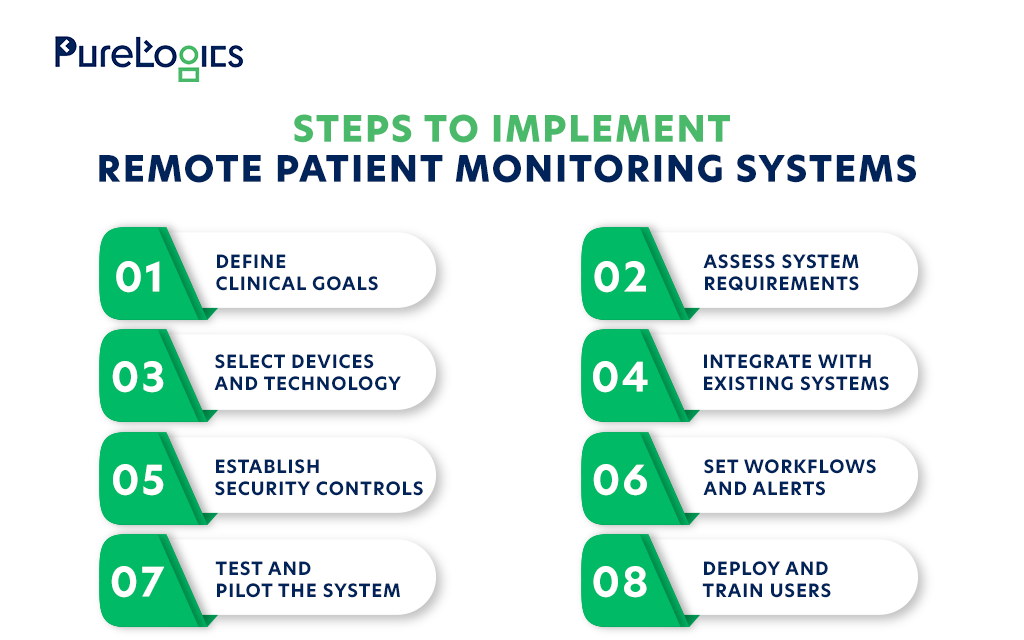
Define Goals and Clinical Needs
Start by identifying the clinical problems your RPM program needs to address. You might want to monitor patients with chronic conditions, support post-discharge care, or improve follow-up between appointments.
Consider your target patient population, the health indicators you need to track, and the outcomes you want to improve. These decisions will guide your technology selection and help you measure the program’s performance after launch.
Assess System Requirements
Your RPM system needs to fit your existing technology and clinical operations. Review EHR, patient management tools, data workflows, and current monitoring processes to identify the connections and capabilities the new system will require.
Look for gaps such as manual data entry, disconnected applications, and limited data exchange. Documenting these requirements early gives the healthcare team a clearer basis for evaluating platforms and estimating implementation effort.
If your existing EHR limits integration or scalability, legacy EHR modernization may also need to be part of your technology roadmap.
Select Devices and Technology
Choose devices and software that suit your clinical needs and the patients who will use them. Consider measurement accuracy, device compatibility, ease of use, connectivity, and the support patients may need to submit readings consistently.
Also assess how the devices transmit data to your chosen platform and how the platform handles missing or delayed readings. Involving clinical and IT teams in the selection process can help you avoid compatibility problems.
Turn Your RPM Vision Into a Working Solution
Build your remote patient monitoring system with expert guidance, custom software, and EHR integration.
Integrate With Existing Systems
Plan how patient readings will move from connected devices to the RPM platform and, where required, into your EHR. Poor integration can force staff to switch between applications or enter the same information manually.
Define which readings need to be available in clinical records, how patient identities will be matched, and how data errors will be handled. Test the interfaces before launch to identify mapping errors, missing values, and duplicate records before they affect clinical workflows.
Establish Security and Privacy Controls
RPM systems handle sensitive patient information across devices, applications, and networks. Your implementation plan should address how that information is protected, who can access it, and how system activity is monitored.
Use appropriate encryption, role-based access controls, authentication, and audit logging. Review vendor access and third-party integrations as well. For US healthcare organizations subject to HIPAA, it is mandatory to involve security and compliance teams early to assess the applicable requirements.
Configure Clinical Workflows and Alerts
Your care teams need clear procedures for reviewing incoming readings and responding to concerning results. Define who monitors the data, who handles alerts, and when an issue must be escalated.
Set alert thresholds according to clinical protocols and the team’s capacity to respond. Excessive alerts can overwhelm staff, while unclear responsibilities can delay follow-up. Build the review and escalation process into daily operations before the program goes live.
Test and Pilot the System
Test the system before rolling it out across your hospital. Verify that devices transmit readings accurately, patient information reaches the correct records, and alerts reach the intended staff.
Start with a limited group of patients and care team members. Gather feedback on device setup, usability, data visibility, and alert handling. Use the findings to resolve technical issues and adjust workflows before expanding the program.
Deploy and Train Users
Once testing is complete, introduce the system in manageable stages. A phased rollout gives your team time to identify early issues and address them before expanding enrollment.
Train staff to review readings, manage alerts, document actions, and escalate clinical concerns. Patients also need clear device instructions and a way to get help with setup or connectivity problems. Plan for ongoing technical support so these issues do not undermine participation after launch.
Even with careful planning, RPM implementation can bring challenges. Knowing what to expect can help your team address them early.
What Are the Challenges of RPM Implementation?
Even with suitable technology, remote patient monitoring can create operational challenges. These include integration gaps, excessive alerts, difficult patient onboarding, and rising support demands, which can limit adoption and reduce your investment’s value.
Here are the key issues to watch for:
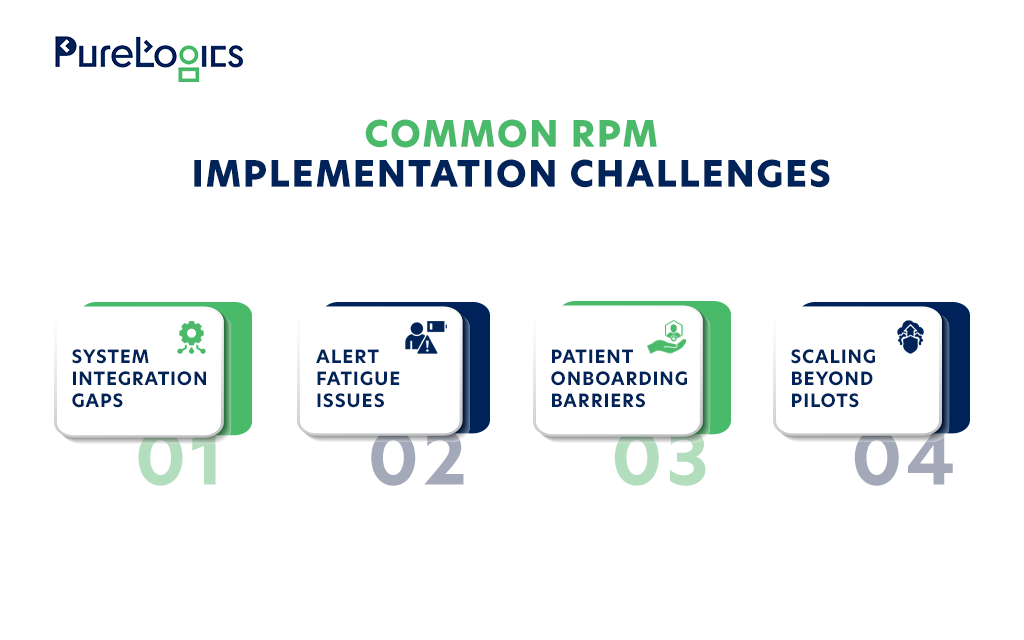
System Integration Gaps
Poor integration can leave patient readings scattered across systems, force staff to switch between applications, or require manual data entry.
➜ How to address it: Map data flows before deployment and test connections between devices, the RPM platform, and your EHR. It is better to involve clinical and IT teams to verify that information transfers accurately.
Alert Fatigue and Workflow Gaps
Too many alerts can overwhelm care teams and make important readings harder to spot. Unclear responsibilities can also delay responses.
➜ How to address it: Set clinically appropriate alert thresholds and define who reviews, prioritizes, and escalates alerts. Additionally, review alert patterns after launch and adjust them based on staff capacity and clinical feedback.
Patient Onboarding and Device Usability
Complex setup, connectivity issues, or difficult-to-use devices can lead to missed readings and inconsistent participation.
➜ How to address it: Choose devices suited to your patient population, provide clear setup instructions, and offer technical support. Make sure to track missed readings to identify where patients need help.
Scaling Beyond Initial Deployment
As enrollment grows, incoming readings, alerts, and support demands increase. Without sufficient capacity and staffing, a successful pilot may become difficult to manage at scale.
➜ How to address it: Plan for higher data volumes, staffing needs, and support demands before expanding. Use performance data from each rollout stage to identify bottlenecks and address them before enrolling more patients.
How to Measure the Success of an RPM Implementation
After deployment, c-suite in healthcare institutions need to evaluate how well the remote patient monitoring system meets its clinical and operational goals.
It is better to track a focused set of key performance indicators (KPIs) aligned with your program objectives:
- Patient engagement: Are enrolled patients submitting readings consistently?
- Workflow efficiency: Is the system reducing manual work without increasing staff workload?
- Clinical response: Are concerning readings reviewed and escalated within the required time?
- System reliability: Are readings reaching the appropriate clinical systems accurately and on time?
- Financial performance: Do operating costs and program outcomes align with the original business case?
Review these metrics regularly against your original goals. The results will show what’s working, where improvements are needed, and what to address before scaling.
Move Your RPM Program Forward
A remote patient monitoring system should help your care teams act on patient data and support patients beyond the clinic. Achieving that takes careful planning, technology that fits your existing systems, and workflows that work in everyday clinical practice.
PureLogics helps healthcare institutions build technology solutions around their operational needs and long-term goals. With a well-planned implementation, you can make remote patient monitoring a sustainable part of your care delivery.
Frequently Asked Questions
1. What is a remote patient monitoring system?
A remote patient monitoring (RPM) system uses connected medical devices and software to collect patient health data outside traditional clinical settings. Healthcare providers use this data to remotely track health conditions. This helps care teams identify changes and make informed care decisions.
2. What factors should you consider when choosing an RPM platform?
Consider integration with existing EHR systems, data security, scalability, device compatibility, and ease of use. The platform should also support your clinical workflows, alert management, and reporting needs. Choose a solution that fits your organization’s requirements and budget.
3. How does remote patient monitoring integrate with EHR systems?
Remote patient monitoring systems connect with EHRs through APIs or interoperability standards such as HL7 and FHIR. These connections transfer patient readings from monitoring devices and platforms into EHR records. Integration depends on system compatibility and data exchange requirements.